
Better Modeling with Meta/Pep/P.N – Tutorial 1: Introduction

Status
Not open for further replies.
I've re-scaled the drawing to 1/72. I have top, bottom, front, left side, right side and cross section in one jpeg. File size 1.39MB. I have an old PC but all seems to run OK on the above numbers.

I'll cut up my old 1/48 scale version into exterior parts when it come to getting detail like air vents etc. When they're built in meta I'll scale them down and add them to the 1/72 scale body.

This should meet the desire for detail without the need to design a 1/1 model in paper.sign1

Cheers JTF
 
i just start to read this and i am now on page 2
thank u for shering with us your knowleg and time

i tray to work on rhino more than 2 years
the work on this program is hard and the progres is realy slow
looks like u found a perfect way for the new modelars to make ther own models

thanks again :)
 
oky

for now i finsh section 2 (the first pod) but i have somthing i like to ask

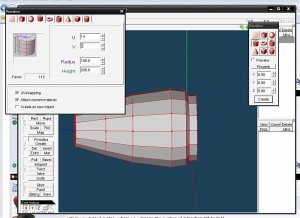
way my pod looks square and if i look on the fromt side its looks like octagon and not like in your pic rounded
 
this what i have made ...
 

Attachments

  • 1.jpg
    1.jpg
    127.5 KB · Views: 29
looks okay to me!

maybe you are just referring to the option of clicking on "View", then clicking "Smooth shading" which changes the slightly shading from the light source and makes it more natural-looking. personally i switch between smooth shading checked and unchecked (and with the lines off) to see how the model would look when assembled in card. Smooth shading "on" helps with inspecting the textures, while smooth shading "off" helps clarify the fold lines.
 
hi

well i start work on part 3 but i have some thing i need to ask
1.how i put the first box directly taching the pod?
2.how i can make thye front box and the sides box in the some age directly
?

thanks :)
 
jay

im comfortable modeling in lightwave so going to a new platform can be confusing and diorientating. after 5 min of browsing this tut and tinkering in met it is all becoming very clear! look forward to the rest especially the uv mapping part. cant wait till its in pdf. thank you very much for doing this!
 
you're welcome folks, and glad you're having fun. sorry i haven't put the next installment up yet, but it'll come along... the UV mapping will come after the next tutorial on the Kumari-class (i'll skip the submarine).
 
Just fooling around...
Using what I've learned from Jay's tutorial, I went to my favorite site -- Luft'46 and picked a relatively simple but nice looking model: the ME P.1110 "Ente" (Duck).

After wrestling with Pepakura, I printed out my pattern on paper. This is what I ended up with.

ME_P_1110_ENTE.JPG


Very happy! :)

Once I get a hang of texturing and shaping the wings, I think I can produce a decent model of this.
 
Status
Not open for further replies.